Creating Strains in Dutchie
Create strains in Dutchie to populate on your Ecommerce.
Written by Dayjia · Updated
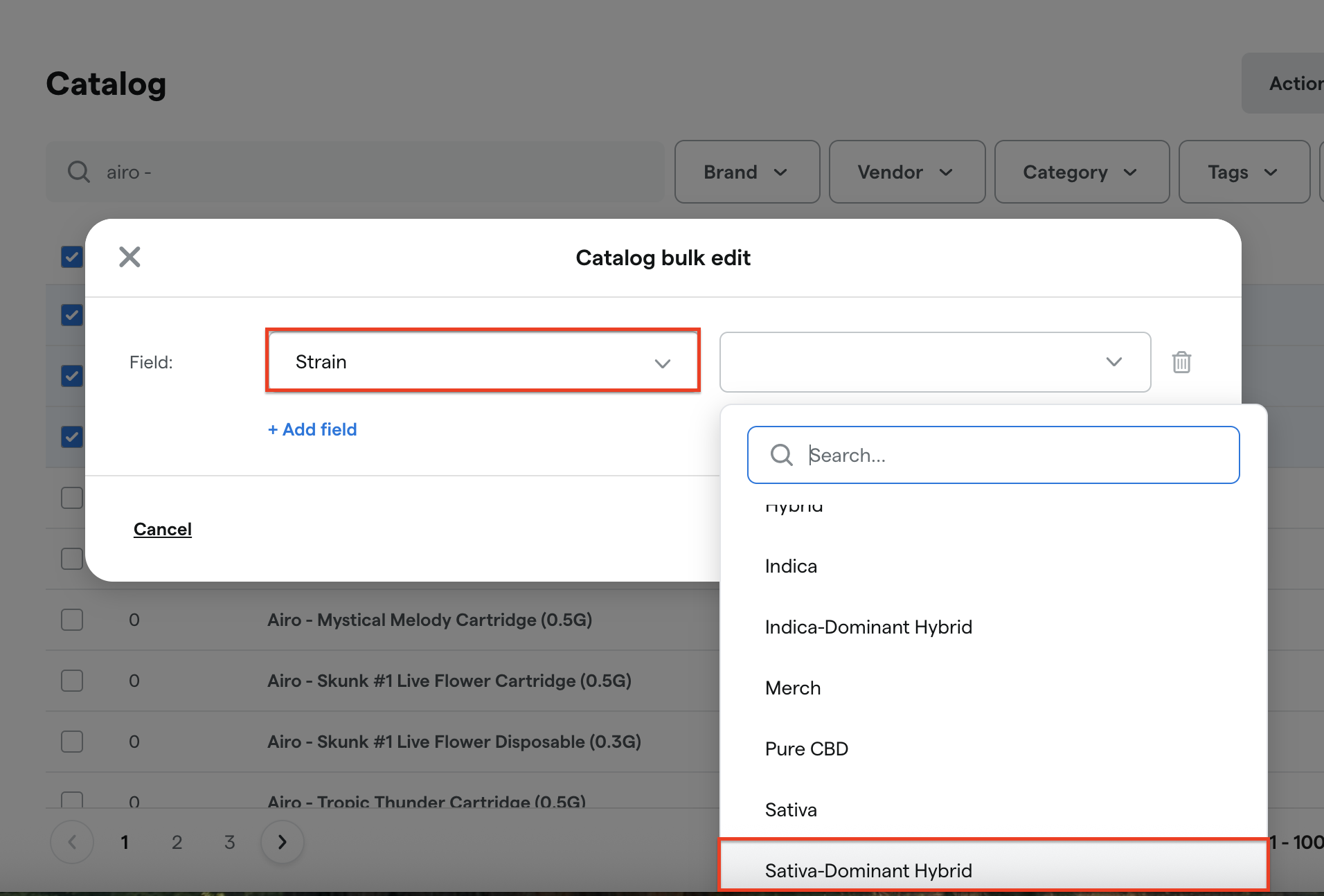
To create the strains in Dutchie go to Products --> Strains --> Add Strain. Ideally, you'll create a strain for every variant type you may have: Sativa, Sativa Dominant Hybrid, Indica, Indica Dominant-Hybrid, 50/50 Hybrid, Pure CBD, CBD Rich, etc.
Update the products in Catalog by individually or bulk editing.

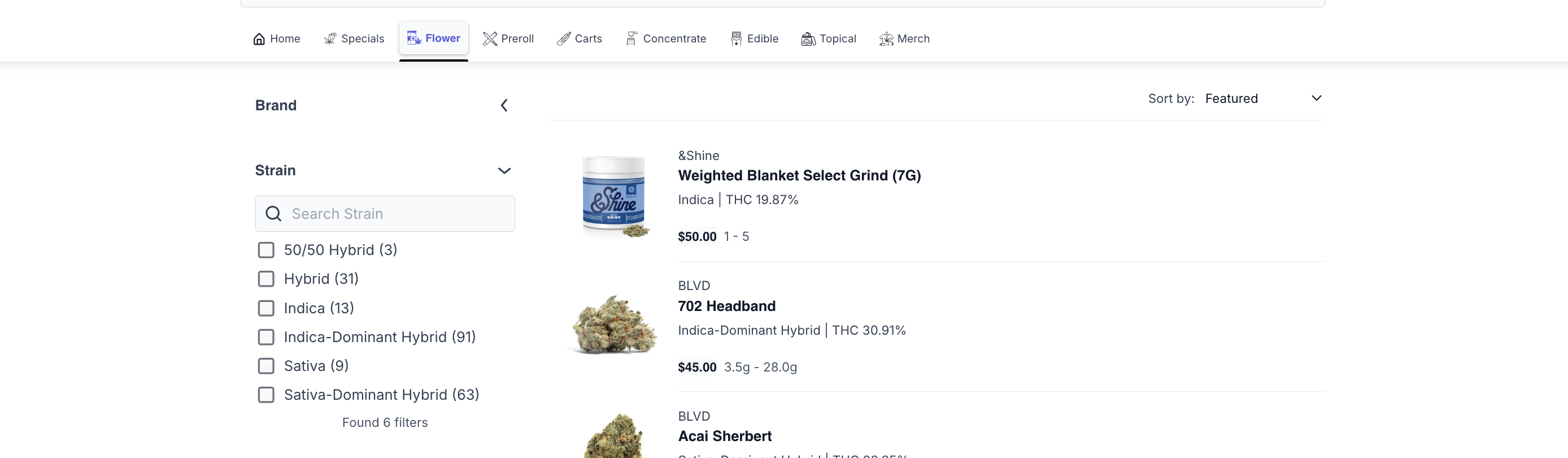
The strain filtering won't populate online unless there are products assigned to them. For example, the 'CBD Rich' filter is under the Carts categories but it's not shown as a filter option for Flower.

Online Order Close Out
Carrot orders that have been pushed to Dutchie complete themselves in Carrot once the sale is finished in Dutchie, and orders canceled in Dutchie are canceled in Carrot too. If the order was paid online, capture the payment in Carrot first: an order with an uncaptured online payment stays on the board. See Automatic Order Close Out.