Capturing Online Payments
Aeropay and Stronghold (CovaPay) are integrated ACH payment solutions offered to all of our Carrot customers. This solution allows your customers to order and pay online within your Carrot e-commerce.
Written by Shayla Wright · Updated
An order being paid via ACH will be indicated by the 'Payment' method and 'Pay Status' on the order cards within Carrot.
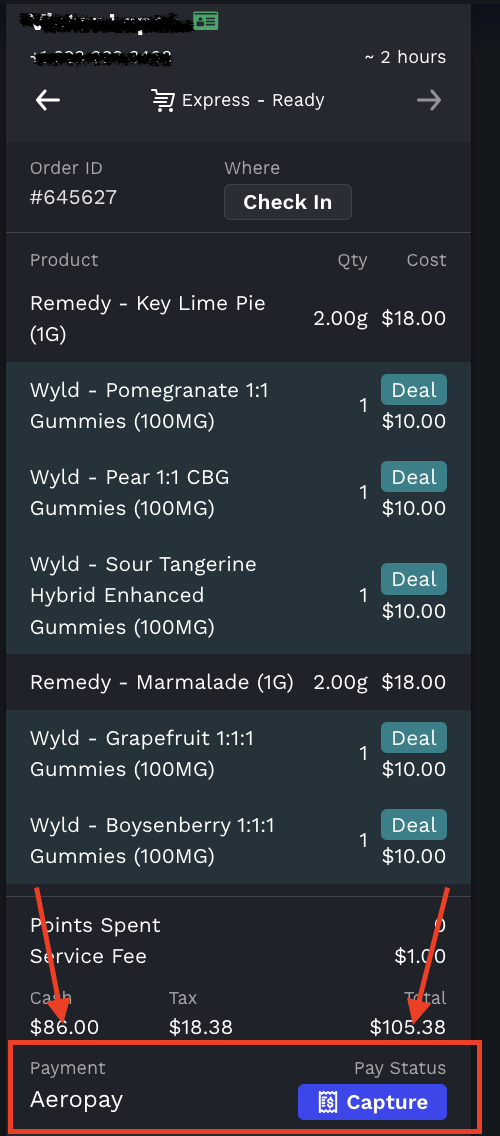
To complete the payment in Carrot, click “Capture.” When the confirmation window appears, verify that the total amount matches what’s shown in your POS. If the amount is incorrect, you can edit it directly in the field. Once confirmed, click “Capture” again to complete the payment.
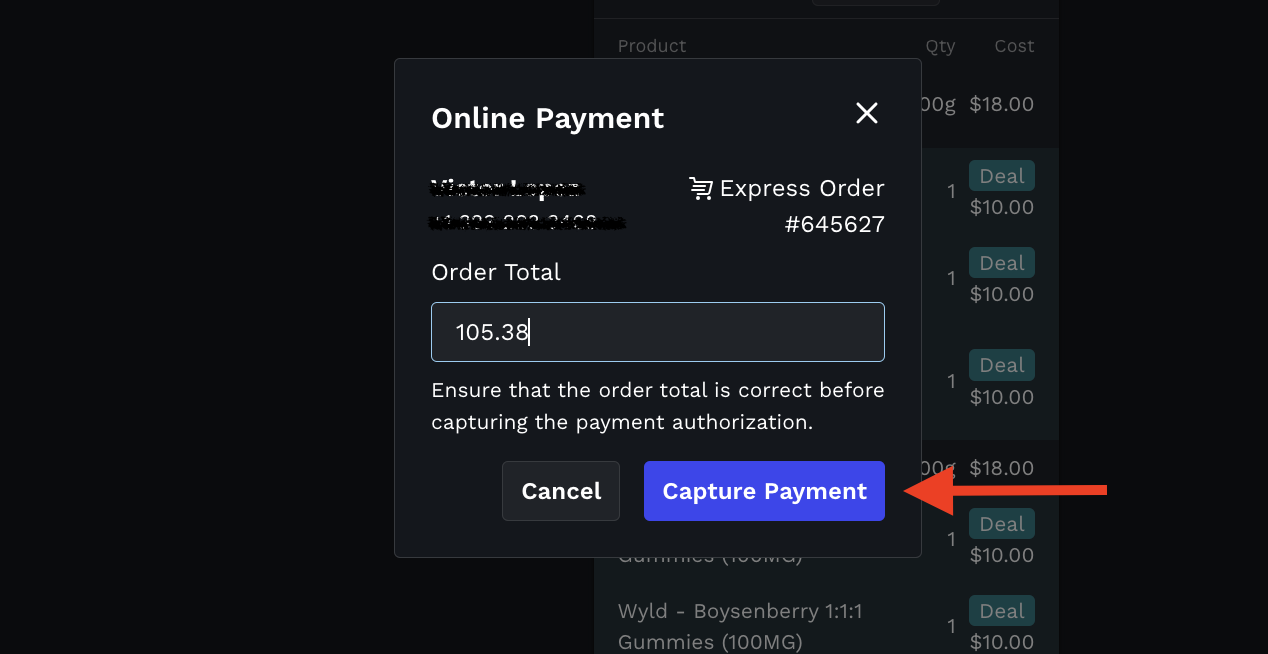
After this pop-up is confirmed, you cannot edit the payment in Carrot. Please go to your Aeropay Portal or Stronghold Portal to refund, edit or capture payments. If you completed the order without capturing the payment, you will need to go to your Payment Portal to complete or reach out to their support team.