Order Fulfillment Overview
Review your online orders in the Overview page in Carrot, and see every status change and edit on an order in its Order History.
Written by Dayjia · Updated
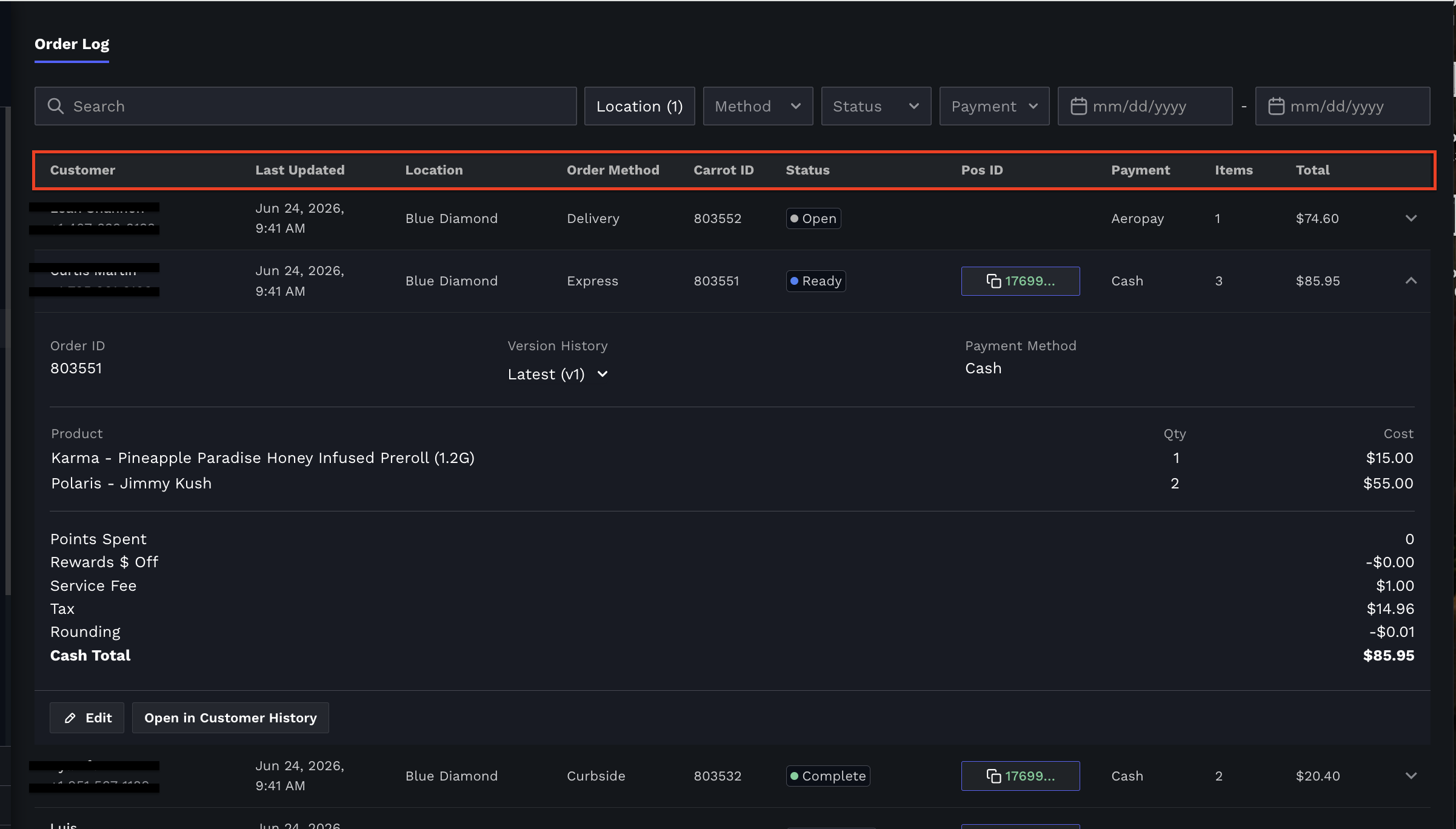
The Order Log page, located within the Fulfillment module in Carrot, provides a complete history of all online orders, including active, completed and canceled orders. This page serves as a reference when researching past orders that may no longer appear on the fulfillment board.
The Order Log displays:
Customer name
Last updated date and time
Store Location
Order method (Pickup, Delivery, Express, Curbside, etc.)
Carrot Order ID
Order status
POS ID (if pushed to the POS using 'Create in POS')
Payment method
Item count
Order total
You can also use the search bar and filters at the top of the page to locate specific orders by location, order method, status, payment type, or date range.
Expanding an order will reveal additional details, including:
Full order contents
Quantity and pricing for each item
Taxes and fees
Rewards or points redeemed
Payment method
Associated POS transaction information
Order History (see below)
Order History
Expand an order in the Order Log and you'll find an Order History line with its details. It shows the most recent change to the order and who made it, for example "Changed to Ready by Jordan 2 mins ago", followed by a See full history link.
Click See full history to open the Order History window. It lists every status change and edit on the order, newest first, with the date and time of each one and who made it: the staff member's name, POS sync for changes that came from your point of sale, or customer for the original order. Entries that create a new version of the order are numbered (v1, v2 and so on), and the version currently in effect is marked Active version.

This is the place to look when a team member asks who completed or canceled an order, or when an order's contents changed after it was placed. Order History replaces the Version History that used to appear here.
Note: Staff names on status changes are recorded from November 5, 2026 on, so status changes made before that date won't show who made them.
This page is especially useful for investigating orders that were accidentally canceled, completed, or otherwise moved out of the active fulfillment workflow.
Orders that Carrot closed automatically once the sale was completed in your POS (see Automatic Order Close Out) appear here with a Complete status, so you can always find an order that left the fulfillment board on its own.
Note: Completed and canceled orders can be viewed from the Order Log, but they cannot currently be edited or reopened from this page. Their information is available for reference and auditing purposes only.