Introduction to Rewards
Welcome to Carrot's loyalty program! This guide covers everything you need to know to get your rewards program up and running — from how customers earn and spend points, to how your staff processes redemptions in-store.
Written by Dayjia · Updated
Setting Up Discounts in Your POS
Regardless of which program you choose, you'll need to configure manual discounts in your POS to process redemptions.
Dollar Amount Off — Create cart discounts that align with your rewards tiers (e.g. $5 off, $10 off, $25 off).
Category-Based & Price Range-Based — Create a product discount that sets the item price to $0.01.
How Customers Earn Points
Customers earn points every time they complete a transaction — whether in-store, online, or via delivery. Points are awarded automatically as long as:
The transaction is successfully tendered in your POS, and
The transaction is attached to a customer account with a phone number that matches their Carrot profile.
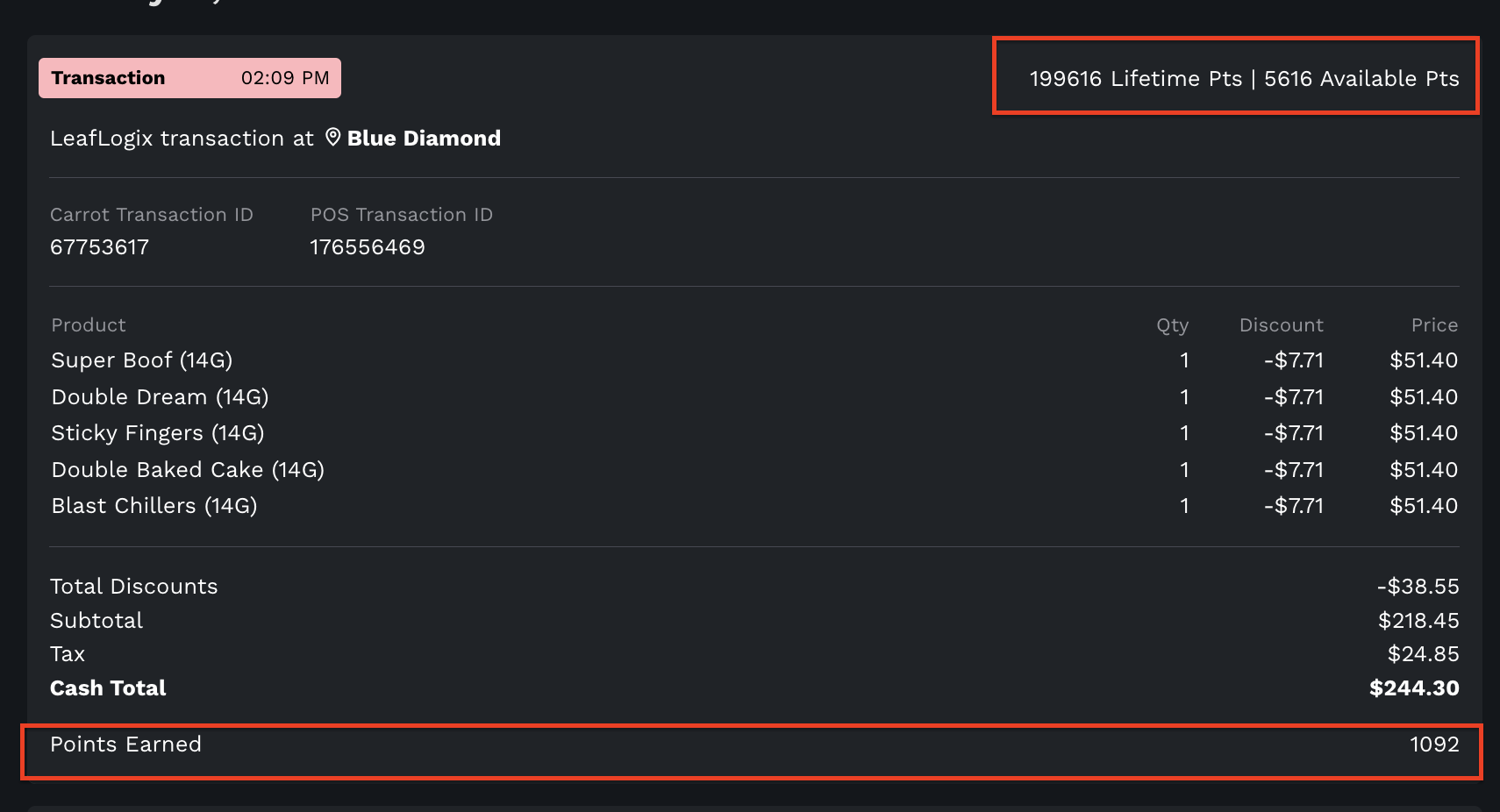
The pink transaction bar inside of a customer profile in Carrot indicates a POS transaction. On this card you will see all of the transaction details, as well as, the points earned.
Troubleshooting tip: If a customer isn't receiving points, the most common causes are: (1) the phone number in their POS profile doesn't match their Carrot account, or (2) the transaction was processed under an anonymous account rather than their customer profile.
How Customers Access Their Rewards
Carrot's rewards program is customer-facing, meaning customers create their own account through your dispensary website and manage their own points and redemptions. This allows customers to track their progress and redeem rewards at their own convenience — reducing the burden on your staff.
Spending Points: Redemption Programs
There are three redemption program types to choose from. The right fit depends on your inventory structure and how you want customers to engage with your rewards.
Program | How It Works | Best For |
Dollar Amount Off | Customers redeem points for a flat discount off their cart total | Dispensaries that want a simple, product-agnostic experience |
Category-Based | Products are grouped into categories, each with a set points price | Dispensaries with well-organized inventory |
Price Range-Based | Points prices are assigned automatically based on product price | Dispensaries with a wide range of product prices |
Managing Customer Points
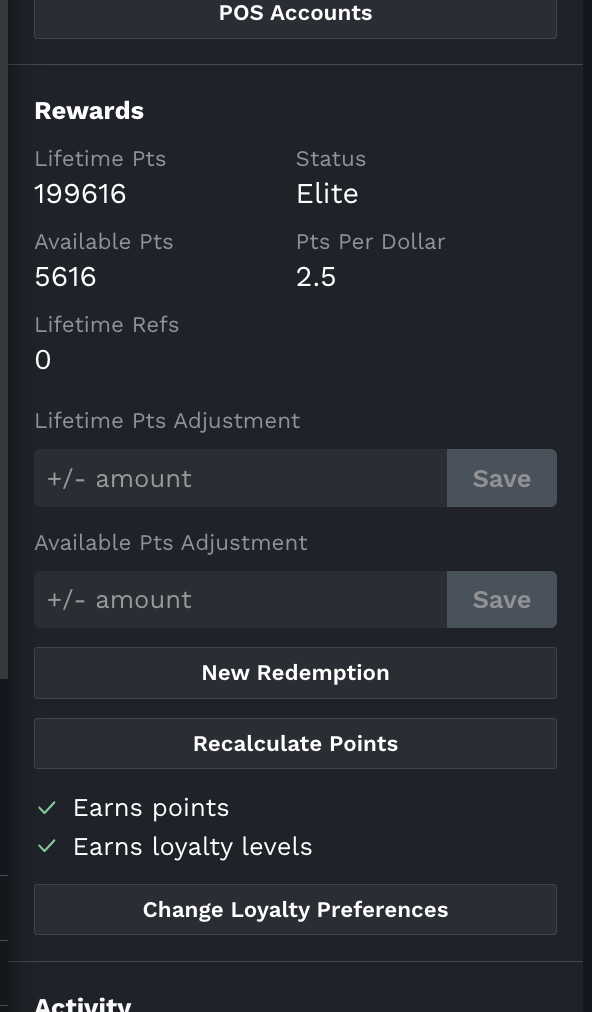
Staff with the right permissions have additional customer-level controls in the left sidebar of any customer profile in the Carrot admin. Managers have all of them; custom roles get them through the Points adjustments and Redemptions permissions (see How to Create Staff Accounts and Set Up Roles/Permissions).
Adjusting Points
Staff with the Points adjustments permission (including Managers) can manually adjust a customer's lifetime points and available points directly from their profile using Adjust Points. This is useful for correcting missing points or making goodwill adjustments.
Redeeming Points on Behalf of a Customer
If a customer needs assistance redeeming their points, staff with the Redemptions permission can process the redemption for them with the Redeem Points button on the customer profile. This will be processed as an in-store redemption. The built-in Budtender role includes Redemptions, so budtenders see Redeem Points even though they can't adjust points.
Changing Loyalty Preferences
Managers can also update a customer's loyalty preference with Update Loyalty Settings. There are three options:
Preference | Description |
Doesn't Earn Points | The customer is completely excluded from the points-based loyalty program. Their profile shows 0 available points, 0 lifetime points and 0 stamps. |
Earns Points but Not Loyalty Levels | The customer accumulates points at the lowest loyalty level and will never progress to higher levels |
Earns Points and Loyalty Levels | The customer accumulates points and progresses through loyalty levels as normal (default) |
When changing a loyalty preference, or adjusting points a comment is required to explain the reason for the change.
Seeing a balance on a "Doesn't Earn Points" customer? Before November 5, 2026, some customers on this setting still showed an imported starting balance. Each of these customers is corrected to 0 at their next points recalculation, which happens on their next purchase or when you press Recalculate in the Rewards section of their profile.
Ways to Reward Customers Beyond Purchases
In addition to points earned on transactions, you can further engage customers through:
Loyalty Levels — Reward high-spending customers with a points multiplier based on their lifetime spend.
Missions — Bonus points for completing specific actions, like downloading your app or trying a new order method.
Referral Program — Customers earn points for referring new customers to your store.