Customer Order Notifications
In order for customers to receive a notification of the status of their order, template texts must be enabled
Written by Dayjia · Updated
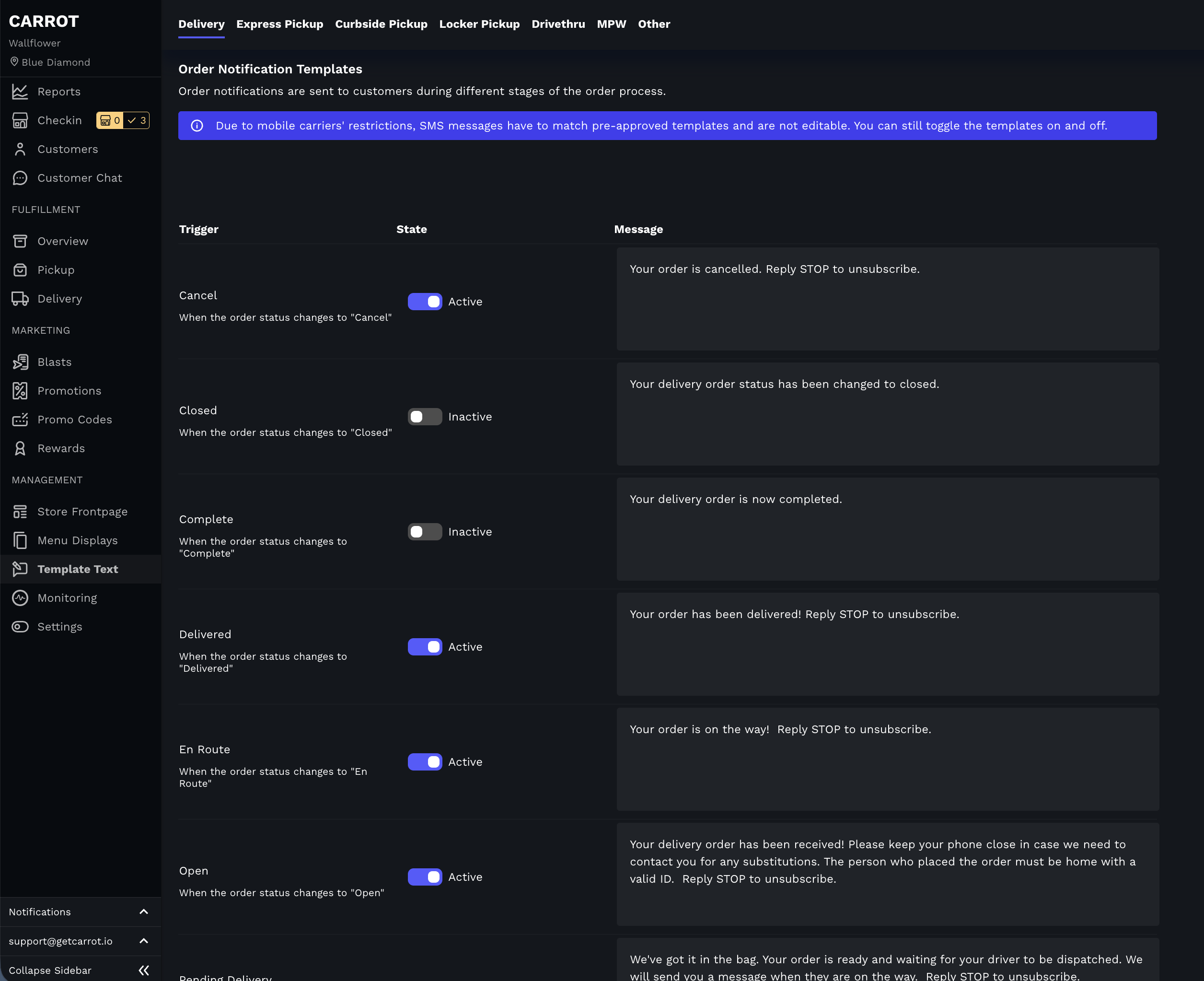
To enable text notifications, please make sure template texts are enabled.
Under the "Template Texts" tab in the admin, you will see a tab for each order type. Under each order type, you will also see a toggle to turn on a text for each order action in the kanban. If the correct ones are toggled to active and customers are still not receiving the text, please reach out to the support team for further investigation. Placing a test order to see if you receive the text is always recommended, so you know if it's a global issue or isolated to that customer's number.